 Acad
AcadPublication-ready research maps, without the GIS pain.
No ArcGIS, no QGIS, no shapefiles. AcadGIS is a free, open-source study-area & research map generator — it turns a place name and a data table into journal-ready figures (choropleths, terrain, satellite layers and more) in a few lines of Python.
Try the AcadGIS web app
— it's live.
The no-code map builder is out. Pick a country, style every layer — water, region fills, basemaps, grids, legends — and export a publication-ready figure at 300 DPI. Right in your browser, free, no install.
Free for research, academic & personal use · unlimited exports
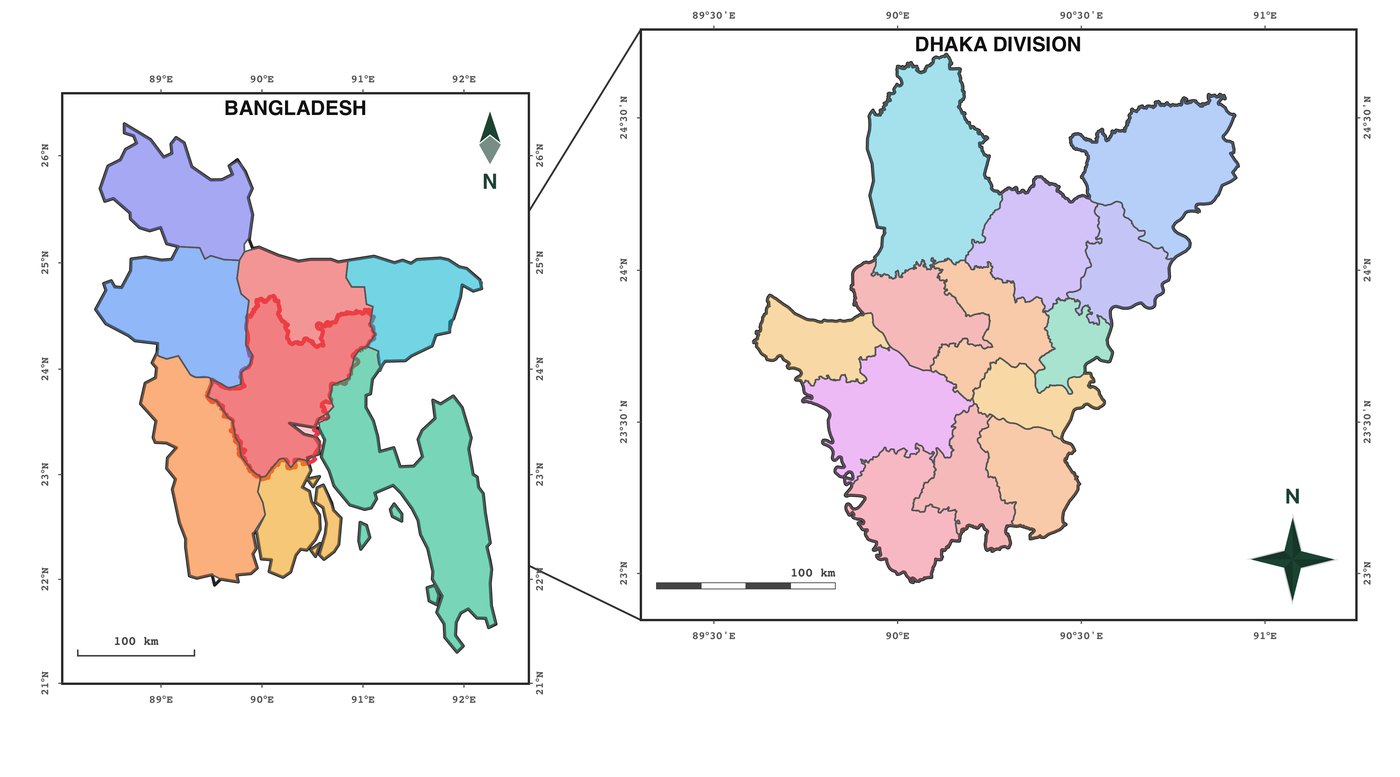 Exported straight from the app — Bangladesh → Dhaka, 2-map template
One import. See what AcadGIS can generate.
Live Sentinel-2 NDVI, ESA WorldCover land cover, satellite basemaps, DEM topography, heat maps, cartograms and multi-panel study areas — every figure below is import acadgis as agis and a few lines.
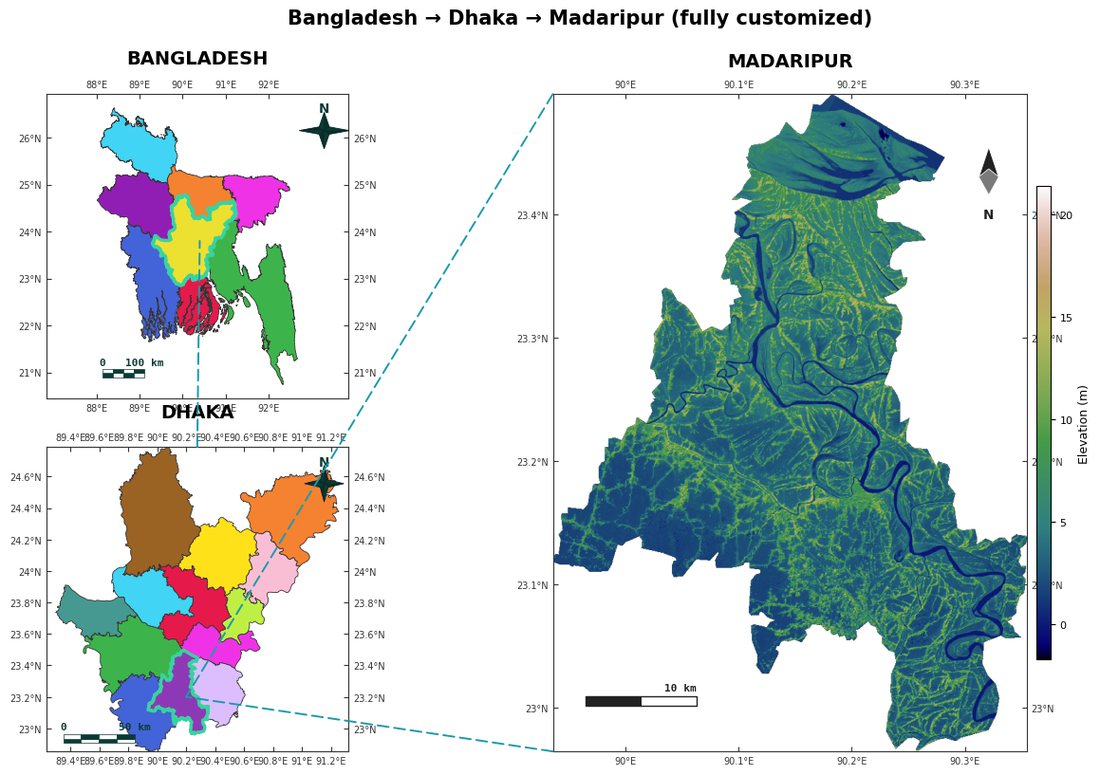 Multi-panel study area with live DEM terrain
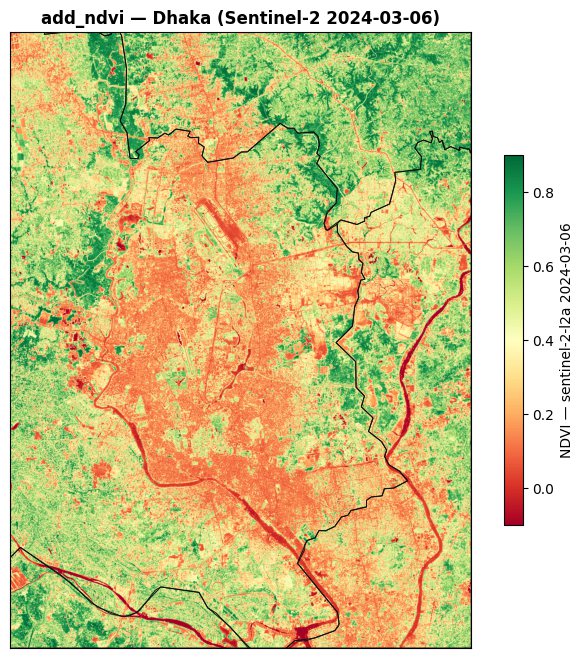 Sentinel-2 NDVI — fetched & computed live
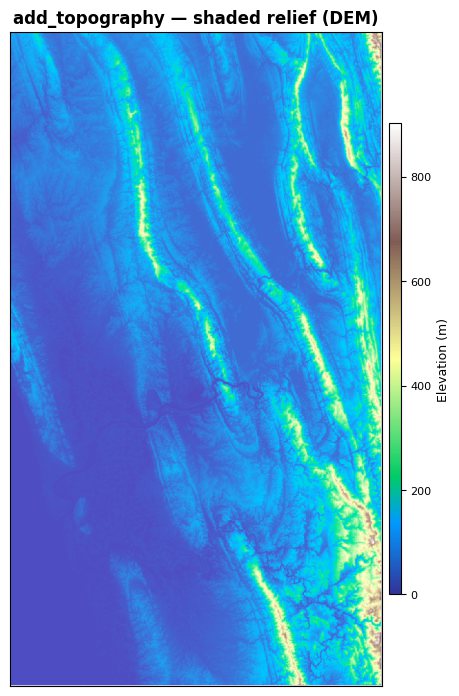 Shaded-relief topography (Copernicus 30 m)
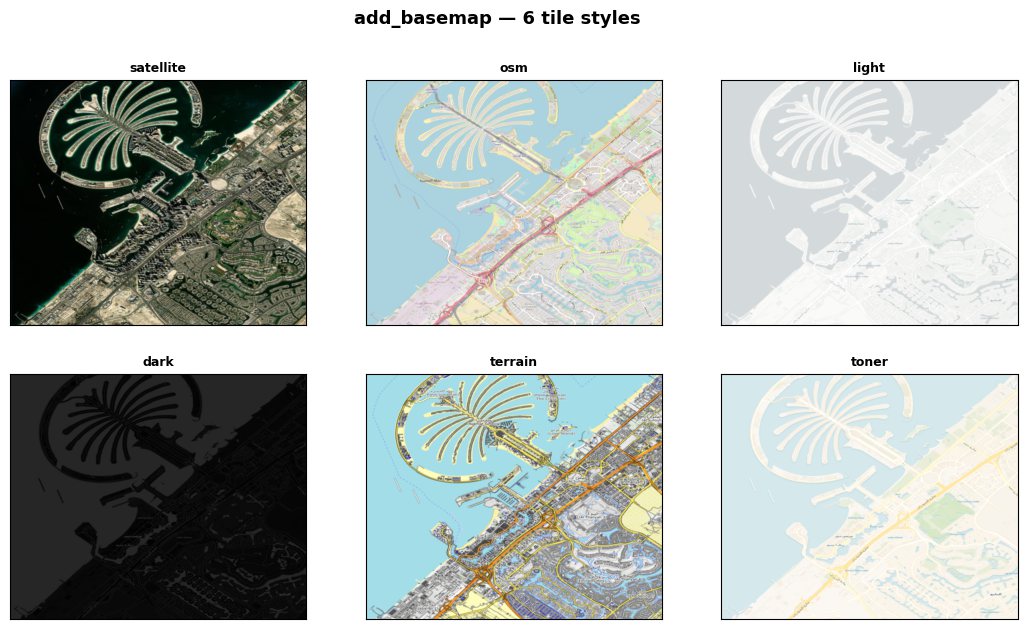 Six tile basemaps — satellite to toner
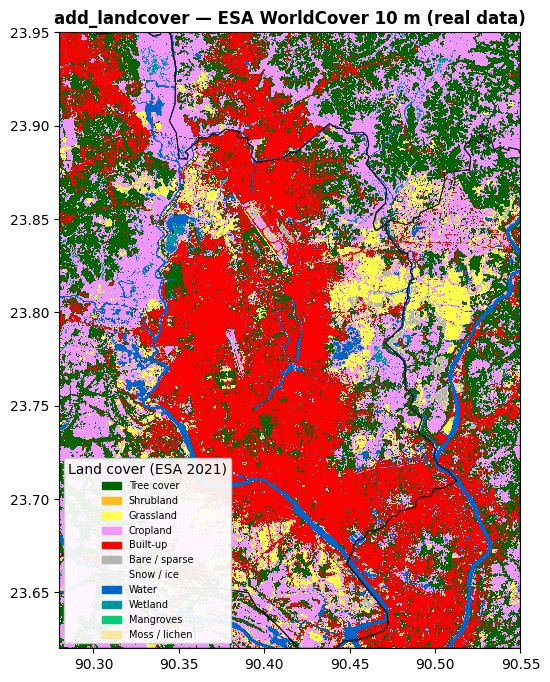 ESA WorldCover 10 m land cover
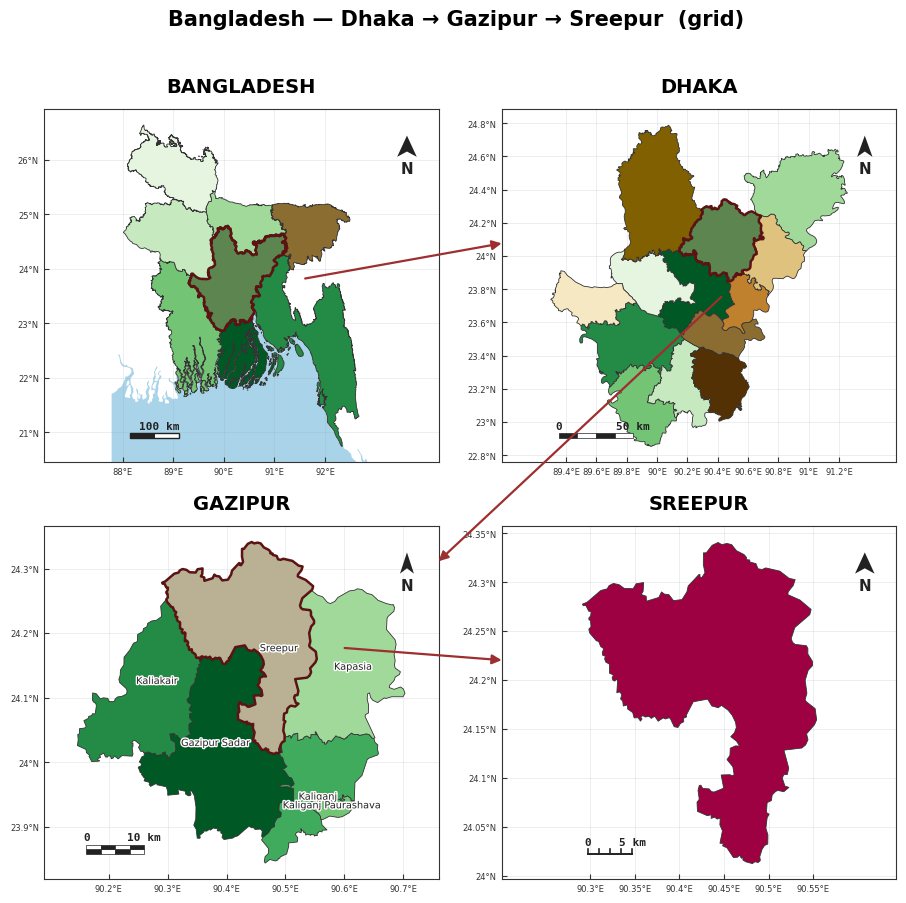 4-level drill-down grid with connectors
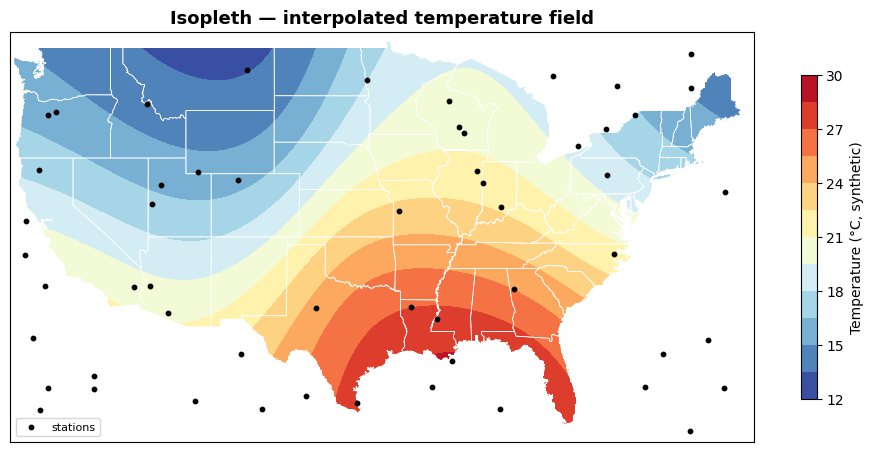 Interpolated isopleth surface from stations
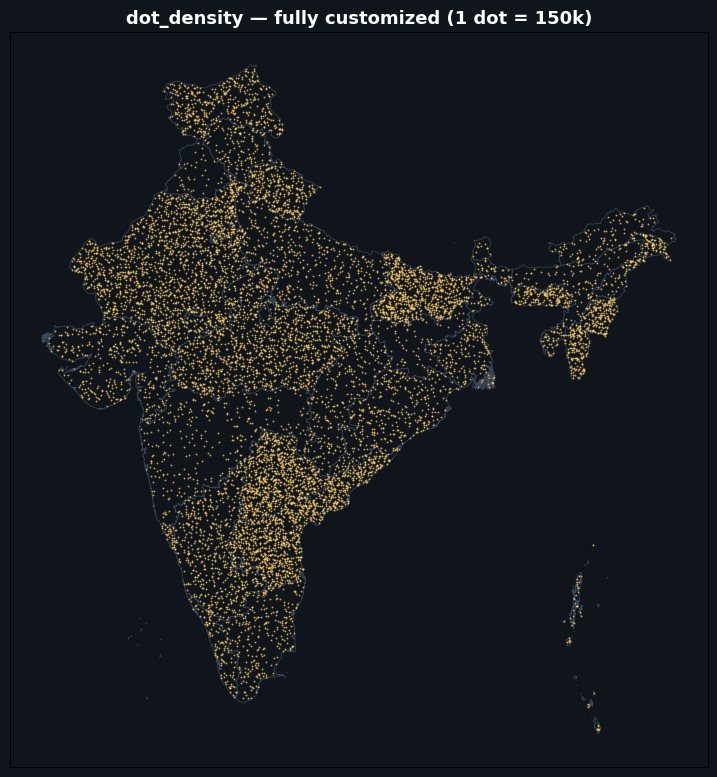 Dot-density — 1 dot = 150k
Every research map is built from layers
AcadGIS stacks boundaries, choropleths, terrain and your sampling points into one publication-ready figure. Move your mouse over it.
Every map a research paper needs
From the study-area figure to choropleths, terrain and sampling-site maps — all publication-ready by default.
Boundaries on demand
Country → state → district → sub-district, by name. No shapefile hunting.
The full thematic catalogue
Choropleths, heat maps, dot-density, bivariate maps, cartograms, isopleths & isolines.
Real satellite data, one call
add_ndvi() pulls live Sentinel-2; add_landcover() pulls ESA WorldCover 10 m. No accounts.
Study-area layouts
Country → region → site multi-panel figures with custom connectors, arrows and highlights.
Terrain, basemaps & rasters
DEM shaded relief, satellite/OSM tile basemaps, and any GeoTIFF — continuous, classed or RGB.
Rivers, sea & drainage
Dense OpenStreetMap rivers, clean ne10m oceans, DEM-derived streams.
A map generator for every research figure
One package, many map generators — pick your figure type and see how to make it, from study-area and choropleth maps to terrain, rivers and sampling-site maps.
Study area map generator
Make the study-area map every thesis and paper needs — without QGIS or ArcGIS.
Open →Research area map generator
Show reviewers exactly where your research happens.
Open →Choropleth map generator
Turn a column of numbers into a coloured map.
Open →Locator map generator
A locator map orients the reader: it nests your site inside its region inside its country.
Open →Thesis map maker
Stop fighting desktop GIS the week before your defence.
Open →Administrative boundary map generator
Skip the shapefile scavenger hunt.
Open →Terrain map generator
Add real terrain to your study area.
Open →River network map generator
Map the water.
Open →Python GIS mapping library
For the coders: AcadGIS is a small, readable Python library on top of geopandas and matplotlib that turns map-making into a few function calls..
Open →GIS map for research paper
Reviewers expect a clear map.
Open →Sampling site map generator
Show where you sampled and what you found.
Open →World map country highlighter
Place your study in global context.
Open →Hexbin spatial analysis map
Go beyond dots.
Open →Bangladesh & India map generator
Built with South-Asian research in mind.
Open →Code it, or click it
import acadgis as agis

sa = agis.StudyArea("India").zoom_into("West Bengal")
sa.figure(suptitle="Study Area: West Bengal")
sa.save("study_area.png", dpi=300)
Python package available now
Open source on PyPI. pip install acadgis — or just tell your AI agent to use it: one import gives boundaries, thematic maps, satellite layers and study-area figures.
Web app live now
For everyone else. Pick a region, style every layer, export — entirely in the browser, no install.
Frequently asked questions
Is AcadGIS free?
Yes. AcadGIS is free and open-source (Apache-2.0). Run pip install acadgis and every map generator — study-area, choropleth, terrain and more — is included.
Do I need GIS experience to make a study-area map?
No. AcadGIS takes a few lines of Python — and you can even ask an AI coding agent to write them for you. No QGIS, ArcGIS or shapefiles required.
Can it make a choropleth map from a spreadsheet?
Yes. Pass a CSV or DataFrame and AcadGIS joins it to administrative boundaries by name — with fuzzy matching for spelling variants (Chittagong → Chattogram) — and shades each region by value.
What kinds of maps can I generate?
Study-area and locator maps, choropleths, heat maps, dot-density, bivariate maps and cartograms, interpolated isopleths and isolines, terrain relief, river networks, plus satellite NDVI and land-cover maps — all publication-ready.
Where do the boundaries and data come from?
Administrative boundaries from GADM (country to sub-district), terrain from Copernicus GLO-30, and rivers/context from Natural Earth and OpenStreetMap. Everything downloads on demand by name and caches locally.
Start making maps today
AcadGIS 0.2.0 is on PyPI right now. Install it, or point your AI agent at the docs and describe the map you want.
📄 Read the paper: AcadGIS on arXiv (2607.10017) — please cite it if AcadGIS helps your research.